How To Find Web Design And Web Development Clients In 2025: A Complete Guide
In this comprehensive guide, we will show you exactly how to find web design and web development clients who actually need your services. You will learn how to use Google Maps and our platform to identify businesses with real website problems, making your outreach more effective and increasing your conversion rates. If you're looking for SEO clients, check out our guide on how to find SEO clients.
Why Finding Web Design Clients Is Harder In 2025
AI and large language models have made web development more accessible than ever before. Gone are the days when basic web development was reserved for professional developers with CS degrees. More and more people are trying to become freelance developers, while businesses are attempting to build their own websites with questionable results. Additionally, developers from developing countries are flooding the market with low cost services, creating intense price competition.
If you're reading this guide, you probably know that while anyone can build a website today, they're probably not building a good one. But here's the bigger challenge. Reaching out to potential web design clients is becoming nearly harder and harder due to stricter anti spam legislation and new technology barriers.
"Call Screening builds on Live Voicemail and helps eliminate interruptions by gathering information from the caller and giving users the details they need to decide if they want to pick up or ignore the call."
— Apple iPhone Features, iOS 26, 2025
Apple's new call screening feature means cold calling is becoming less effective. Combined with tightening anti spam laws in the US and EU, traditional outreach methods are inefficient. The businesses that need web design services most are now harder than ever to reach.
Due to this shift, it's more important than ever to stand out from the crowd with a value first approach. Instead of generic pitches, you need to identify businesses with specific, demonstrable website problems and offer solutions they can immediately understand. While all of the above challenges might make you want to throw in the towel, we believe this is actually a massive opportunity. Most of your competitors will continue using the legacy spray and pray approach, while you will master the targeted, value driven method that actually works.
In this guide, we will show you how to find web design clients who need your services. Using our platform, we will demonstrate how to automatically and systematically identify businesses with real website problems, allowing you to approach them with value driven outreach that is more likely to convert.
Setting Up Your First Search
In this part of the guide, we will go through the process of creating a search. First, you'll need an account. If you haven't already, sign up here.
Once you're logged in, you'll see the 'Find Local Businesses' button. You'll also notice various "Create New Search" buttons throughout the application. Click any of these buttons to open the create search dialog.
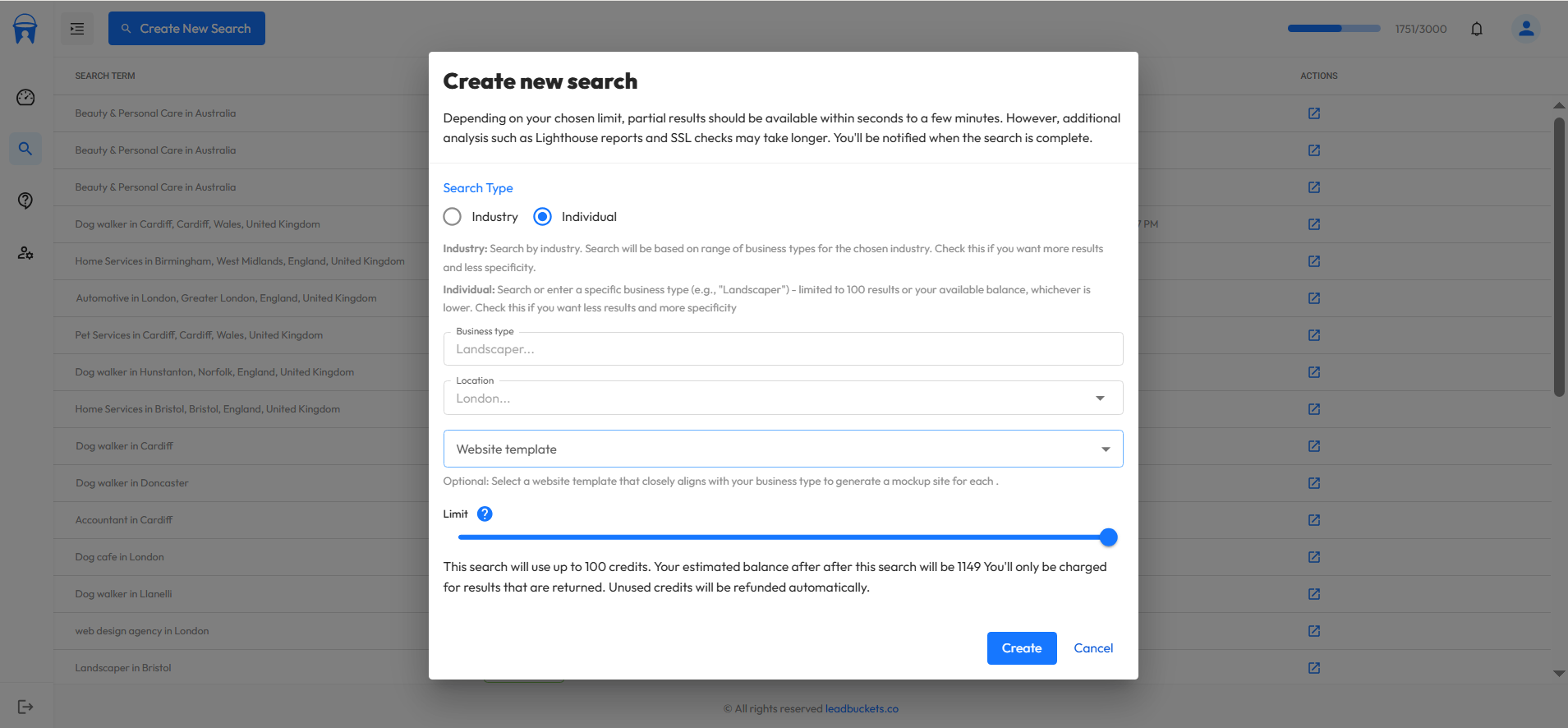
As you can see, there are several fields we need to fill out. Let's walk through each one.
Search type
There are two types of searches in our platform. These are individual, and Industry. An individual search requires you to pick a specific business type (like "roofing contractor"), while an industry search lets you simply select a whole industry.
Individual searches give you more targeted results. For example, roofers and landscapers typically have poor websites but each client could be worth thousands in revenue. These businesses are more likely to invest in professional web design.
Industry searches will yield more total results and take slightly longer to process, but may include businesses with lower conversion potential.
For this demonstration, we're going to pick Individual since we want to find the highest quality web design prospects.
Business type
Once you select "Individual" search, the business type dropdown will appear, allowing you to choose a specific business type. For this search, let's pick 'Roofing contractor' from the dropdown. Roofers are ideal web design clients because they're always in need of more leads and willing to invest in better web presence.
Location
Next, we need to select a location. For this example, let's pick Nottingham in the United Kingdom. When searching for web design clients, it's crucial to start local. Many businesses are flooded with generic outreach from overseas agencies and freelancers, so positioning yourself as a local provider gives you a significant advantage. Local businesses are naturally more receptive to working with someone in their area who understands their market. When choosing a location ensure you pick a specific city, town, or village rather than searching country wide.
Website template
Now let's choose a website template. This field is optional. Only select a website template if you'd like custom templates to be created for each business in your results. Choose a template that closely matches your selected business type. For our roofing contractor search, we'll pick the "Roofers" template from the dropdown.
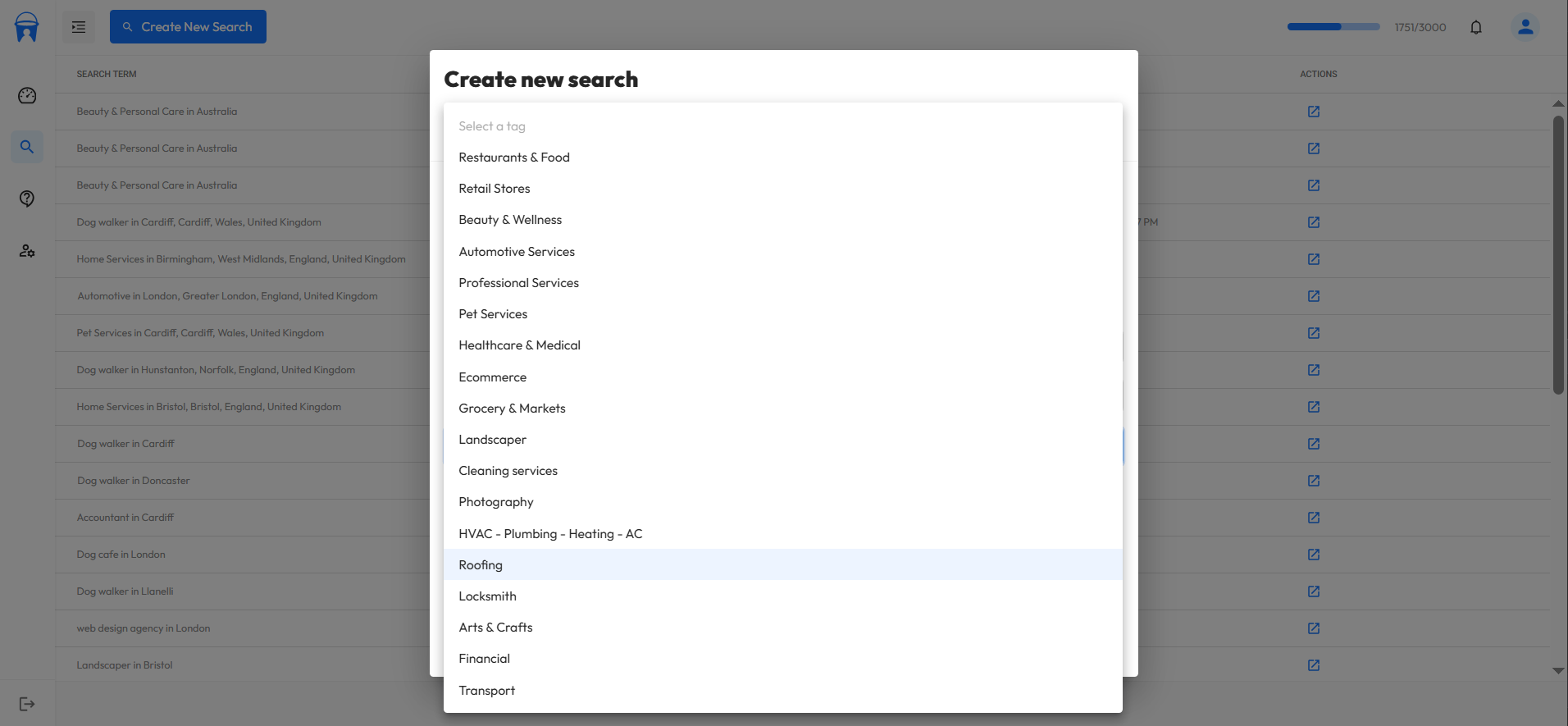
Limit
Finally, let's set a search limit. Since we chose an individual search, the maximum limit we can select is 100 businesses. This limit is important because we don't know ahead of time how many businesses match your criteria in that location. If you'd like more results, you can choose an industry search where you can request up to your full available credit balance. Don't worry, if fewer businesses are found than your chosen limit, your credits will be refunded automatically. For this demonstration, let's keep the maximum limit of 100 and click "Create Search."
Initial data
Once we create the search, you can see that initial data appears very quickly, including basic information like business names and phone numbers. The system then begins 'enhancing' this data in the background, gathering more valuable insights like website performance scores, which takes additional time to complete.
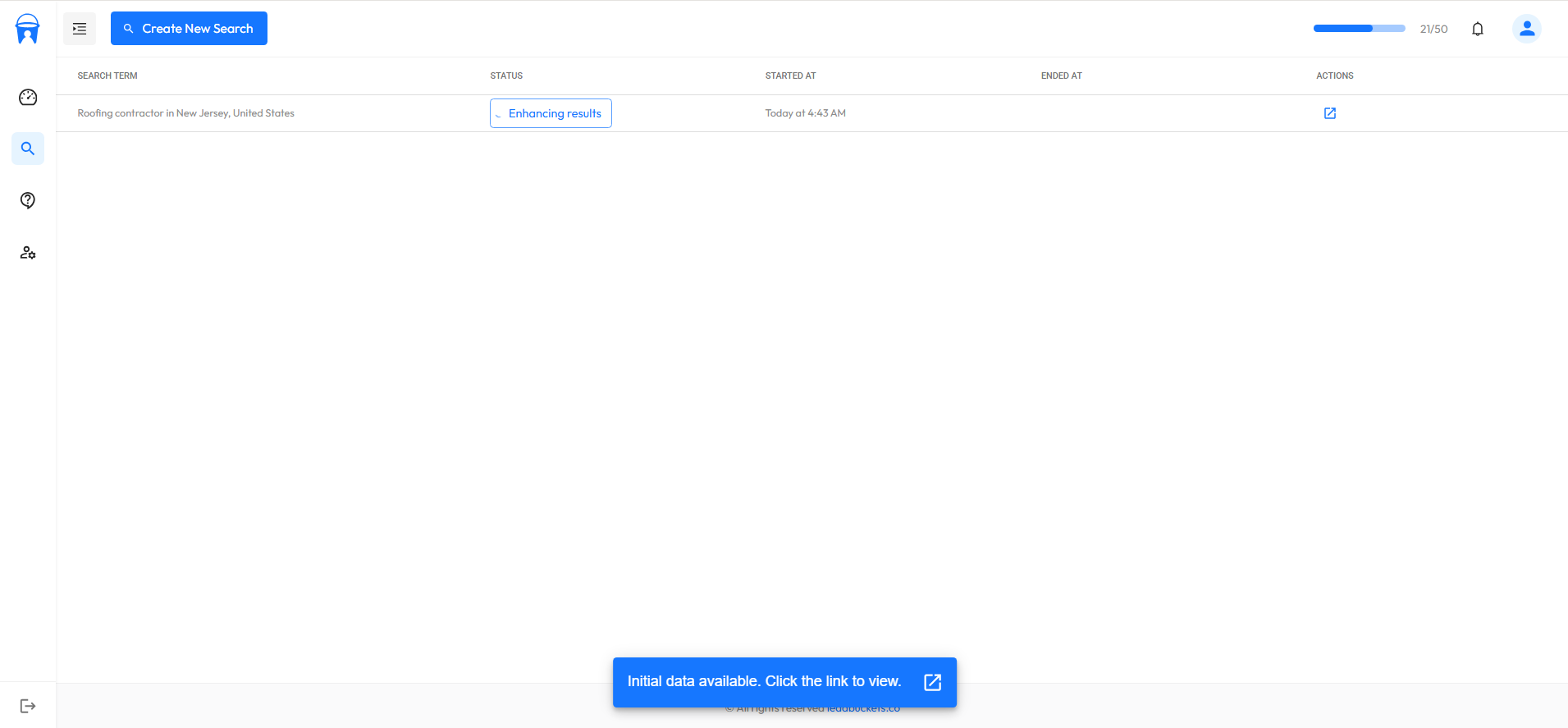
In the next section of this guide, we'll show you how to analyze the enhanced data to find web design leads that are more likely to convert.
Analyzing The Results to Find Quality Web Design Clients
Now that our search has completed. Lets analyze the results and identify the most promising prospects.
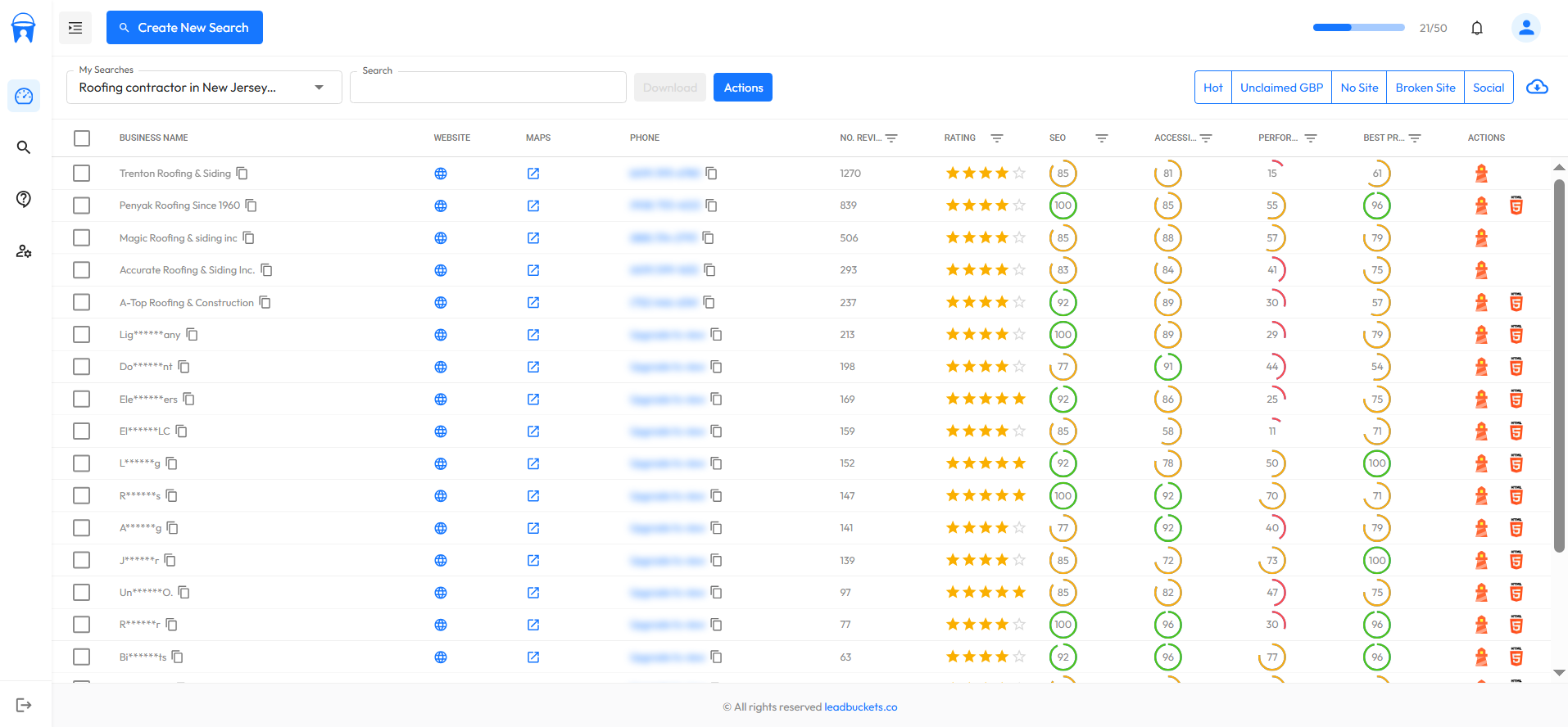
Filter By Poor Performing Slow Websites
Since we're looking for web design clients, there are several key indicators we can filter for. First, let's filter the data by the worst performing websites. All numerical columns in the table are filterable using comparison operators (greater than, less than, equal to, etc.). For this example, let's filter by performance score of less than 40 to find websites with serious speed issues.
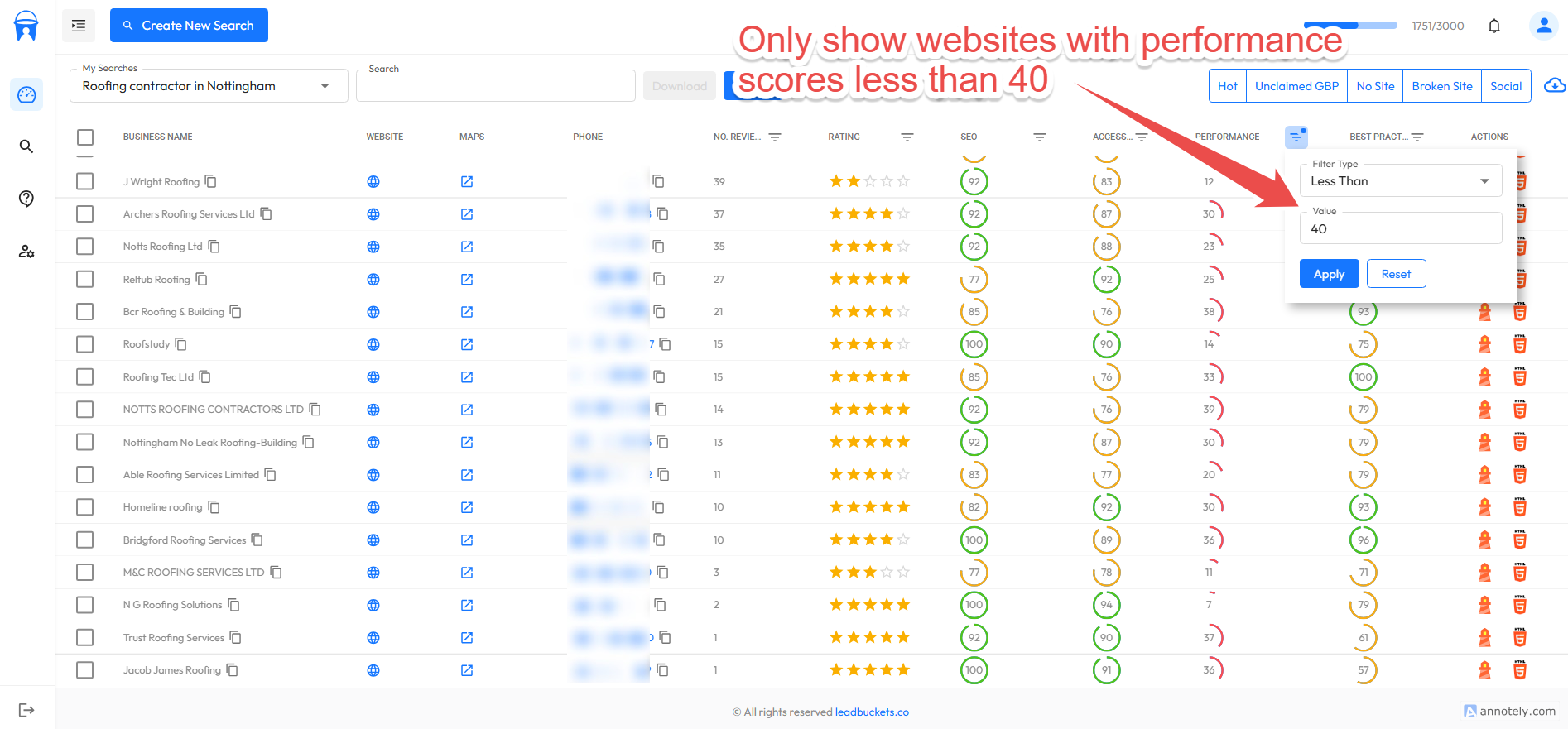
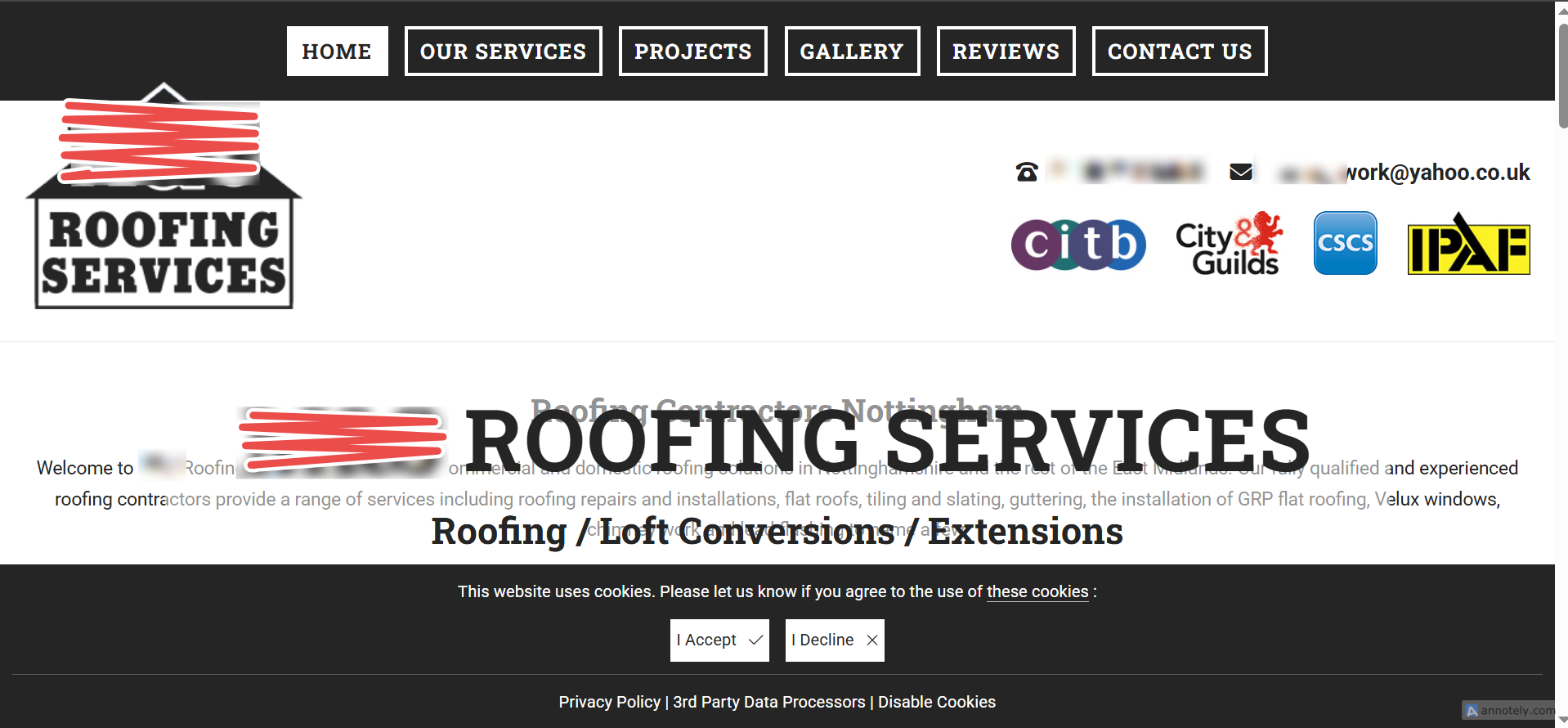
As you can see, when we filter by low performance scores, it shows only the websites with serious speed issues. Notice that one of the websites appears broken due to how long it took to load. This one took over 20 seconds to fully load. Here's the critical insight: website performance directly impacts conversion rates, as Ahrefs notes that improvements may lead to more conversions. Whilst performance is not a significant ranking factor, it certainly effects conversion rate. When you contact these businesses, its important you don't 'trash talk' their site (even though it may deserve it). Instead, lead with value by explaining how their slow website is costing them customers and revenue. These prospects will be more receptive because they likely already know their site isn't converting well. You're simply providing the technical explanation for why. This approach makes your outreach significantly more successful because you're solving a real, measurable business problem.
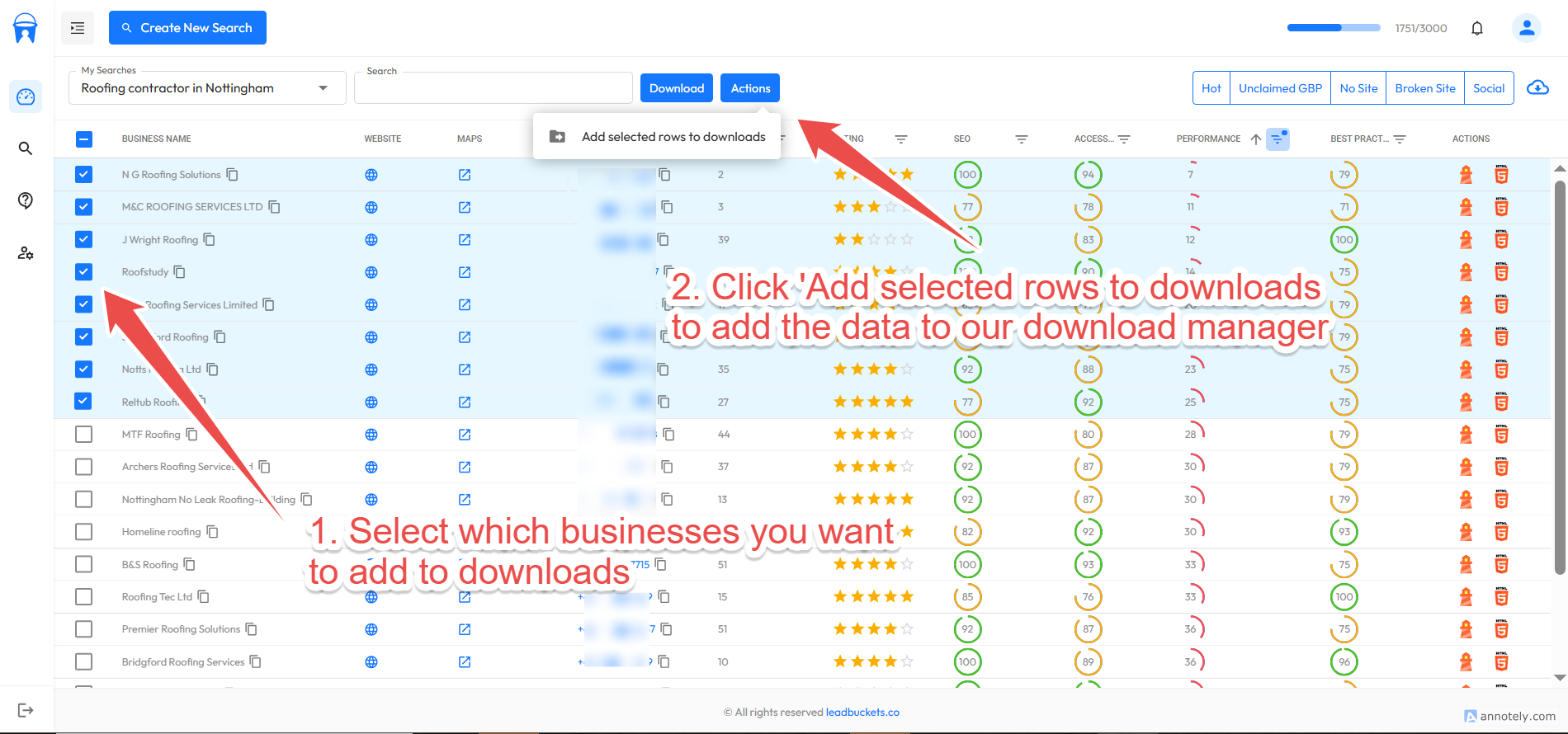
So now that we've found a few businesses that have poor performance, let's add them to our downloads manager. We will explain how to actually export the data to CSV later in this guide. But for now, select the businesses you want to add by clicking the checkboxes in the table. Then click the actions menu and select 'Add selected rows to downloads'. We could alternatively just click the download button and it would download all our data. But we want to analyze the data and only select those businesses that need web development services.
Filter By Businesses Without Websites
Obviously, if you're trying to find web design clients, filtering by businesses without websites is a simple and effective method. These are perfect prospects since they clearly need what you're offering. So let's click the quick filter 'No site' to only show businesses without a website.
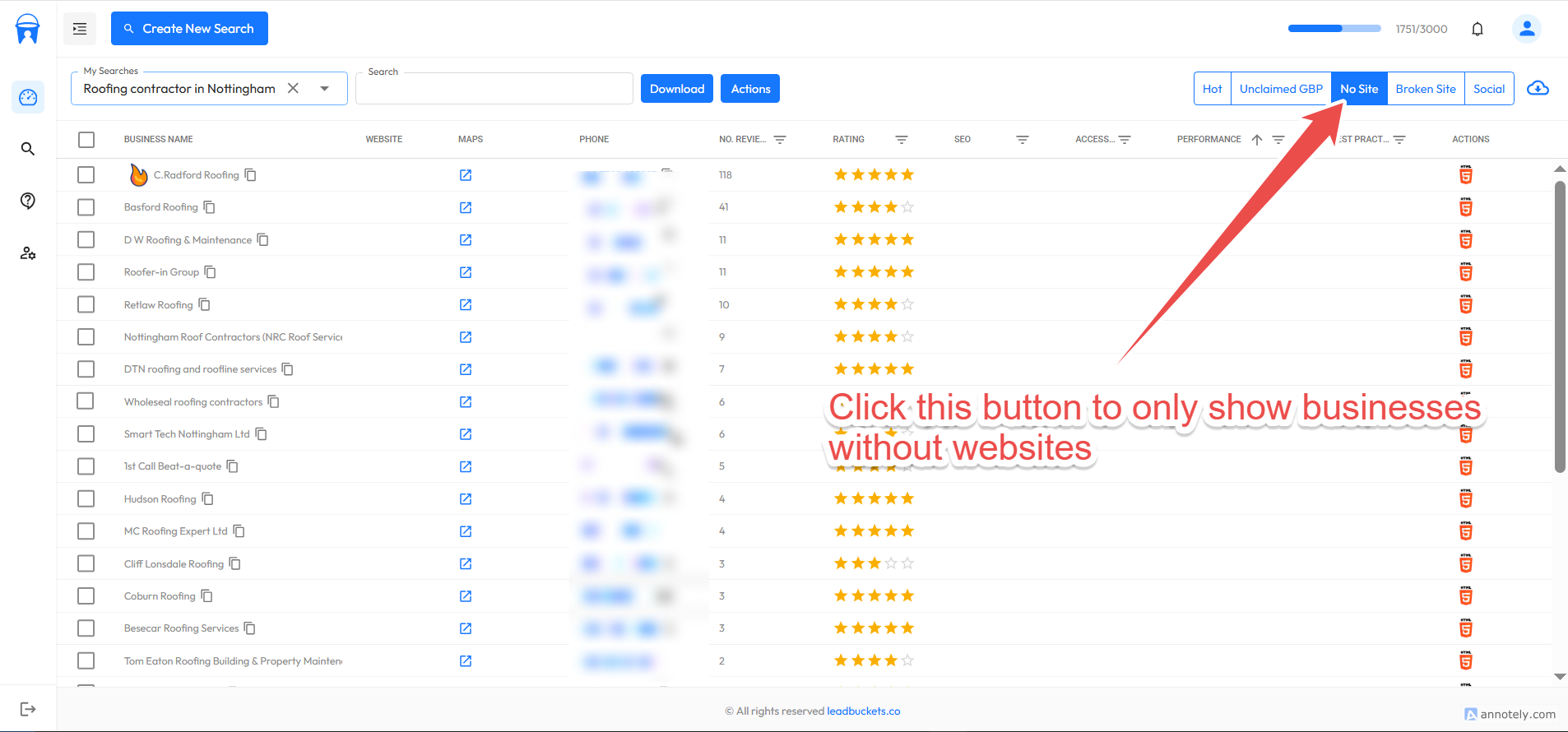
There's not much more to go on with this one. You sell websites, they don't have a website. It's that simple.
Businesses with broken sites or SSL issues
Next, we'll try to find some businesses with completely broken websites or those with SSL issues. Obviously, in 2025 having a broken website is very bad for business, especially for local businesses that sell high ticket services like roofers or landscapers. We'll also find some with SSL issues. The business may not know it, but having HTTPS is a ranking factor (it's small but they add up). These are ideal web design clients as they have real issues. The beauty of using our platform is that it automatically identifies these problems for you. Without it, you'd be randomly browsing websites hoping to stumble across broken sites, which could take hours or days to find even a handful of prospects.
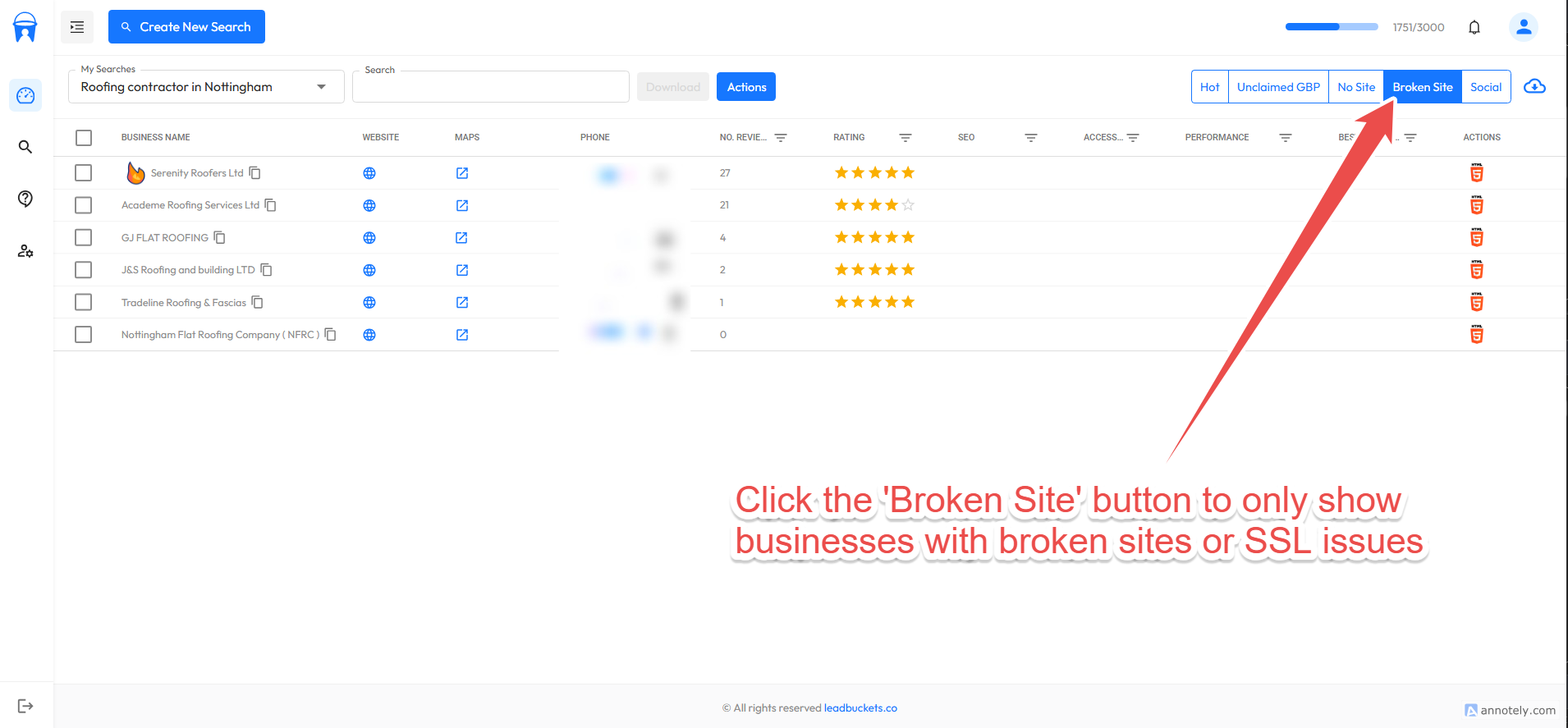
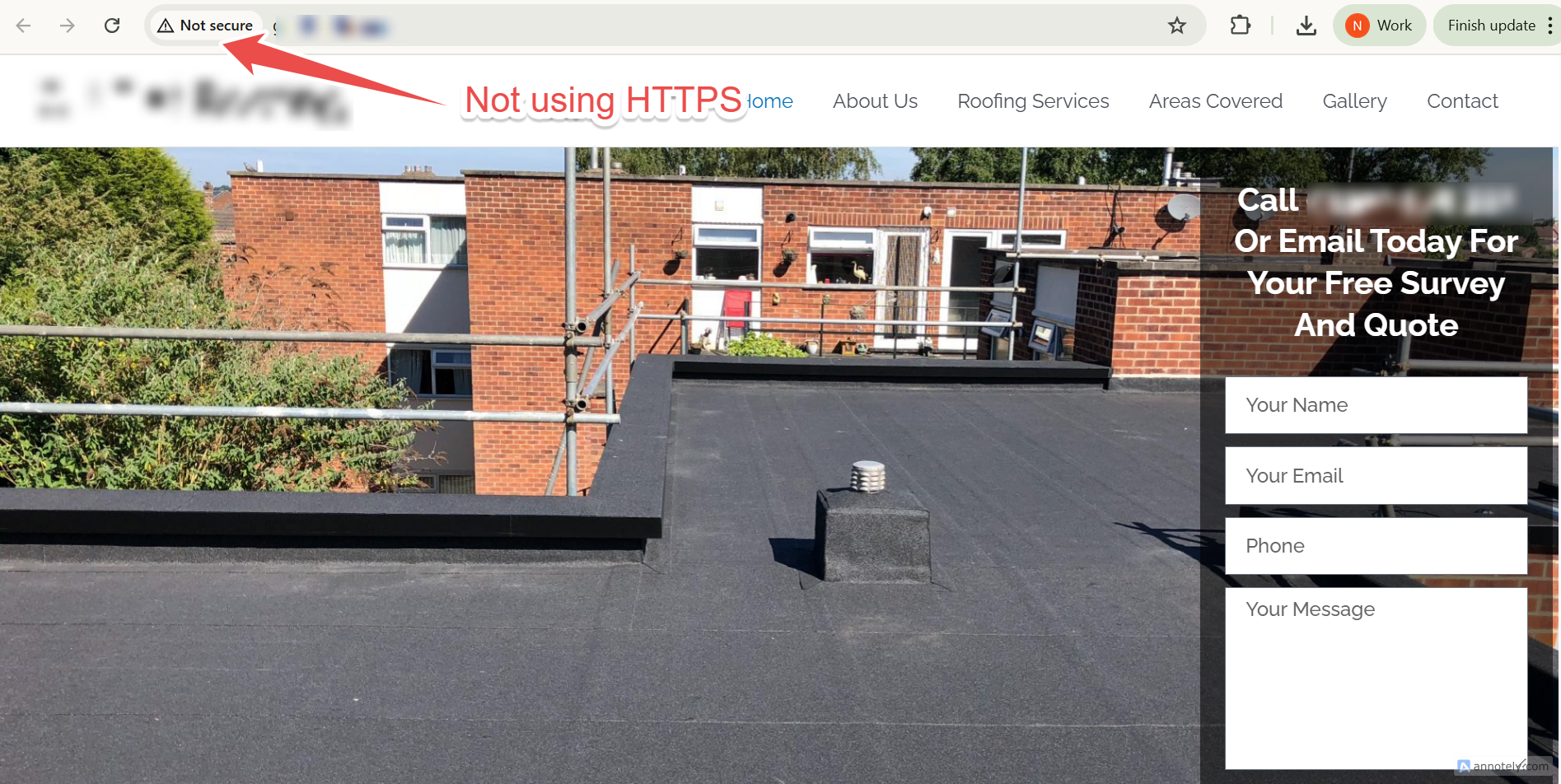
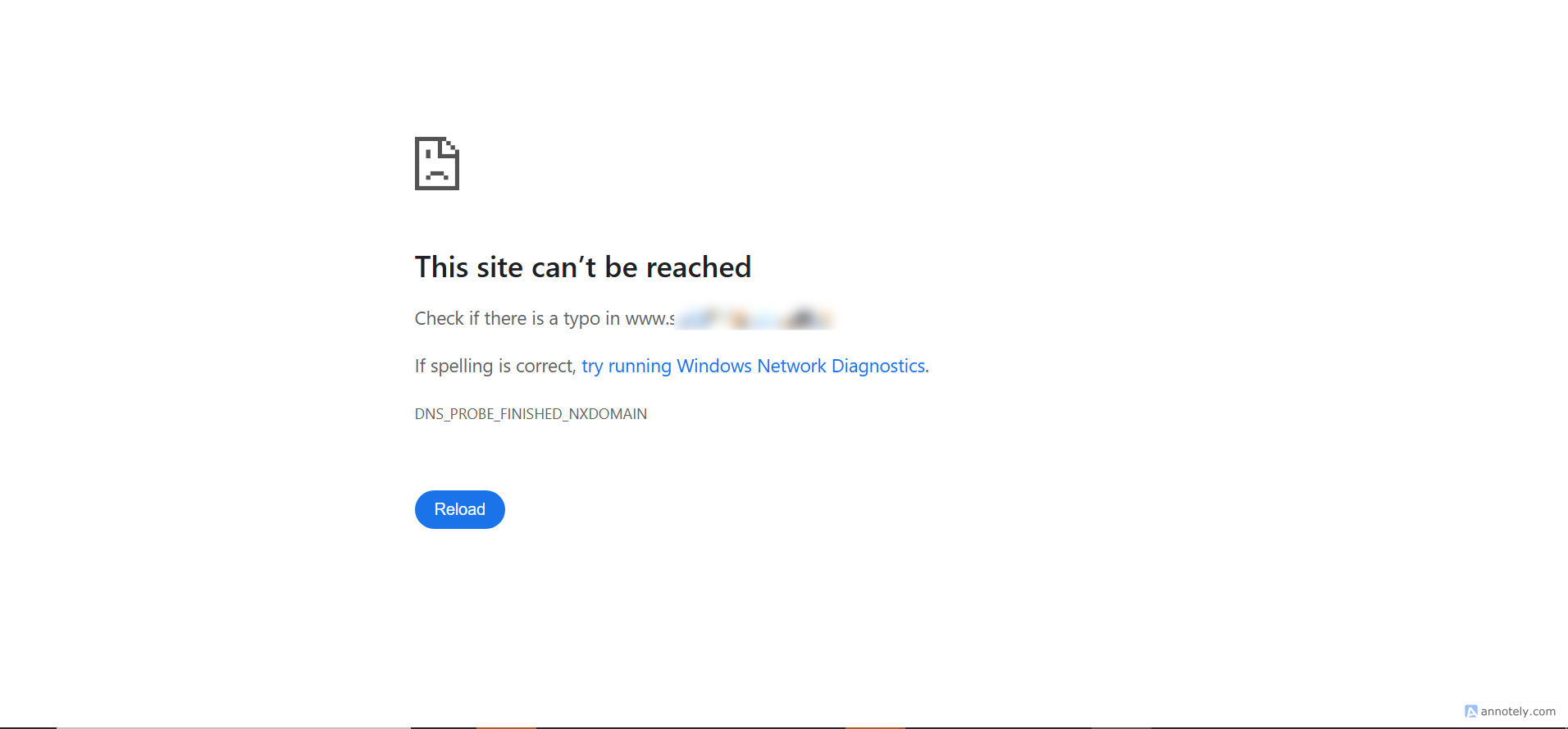
It's important to understand thats it's not a 100 pecent exact science. There may be some false positives and it's inevitable that some of these businesses may no longer be trading. Occasionally a site may be marked as broken when it's not. This can happen for a number of reasons, but the most common reason is a simple network error. We estimate it is accurate to about 90 percent. Now let's add the businesses to our downloads manager in the same way that we did in the previous step.
Finding Businesses Using Social Media as Their Main Website
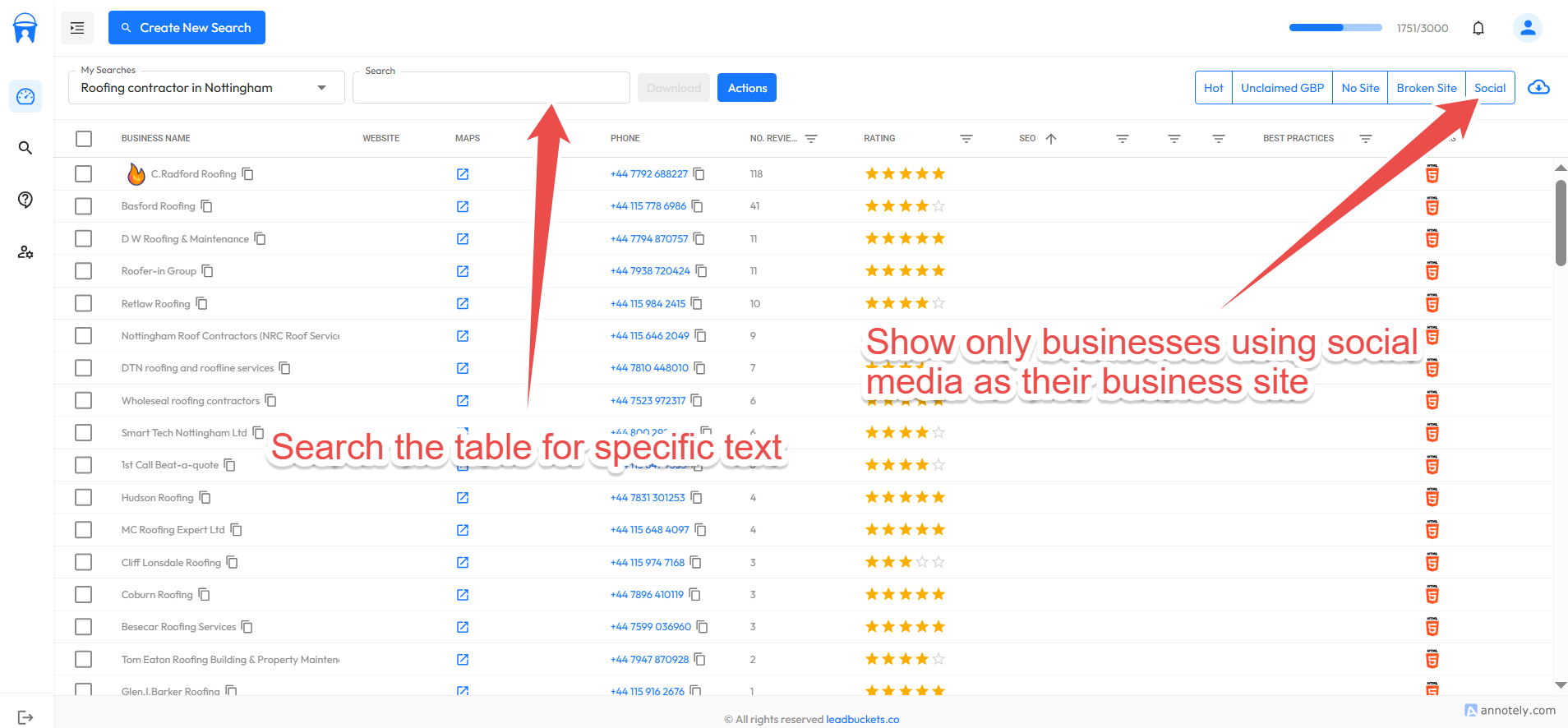
The final method in our arsenal is to look for businesses that are using social media platforms like Facebook or Instagram as their main website. We can also use the search bar to filter the table for specific text. For example, with our current search (roofers), we could search for 'Checkatrade' (a tradesman review platform). Many businesses will often use these profiles as their main online presence. You could also search for 'GoDaddy' in domains, as some businesses will have these temporary placeholder sites because they haven't invested in proper web development yet.
Downloading The Data
So far in this guide, we have found some good quality prospects. We've already added them to our downloads manager. It's now time to export them to CSV. Currently we do not have a direct CRM integration. However, we have plans to build this out. Head to our public roadmap and let us know which CRM you'd like us to integrate with first. So let's create a CSV file of our selected businesses.
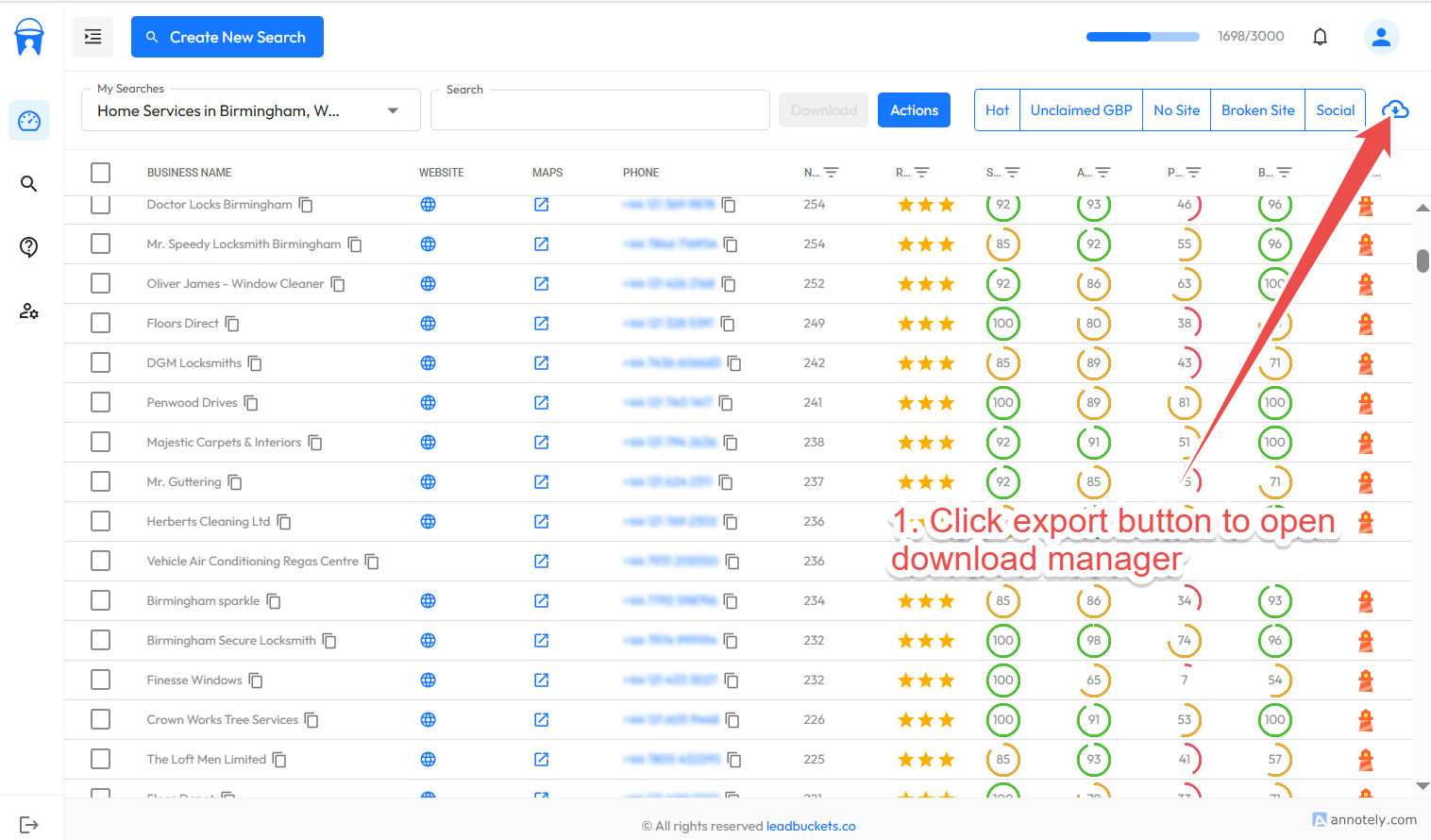
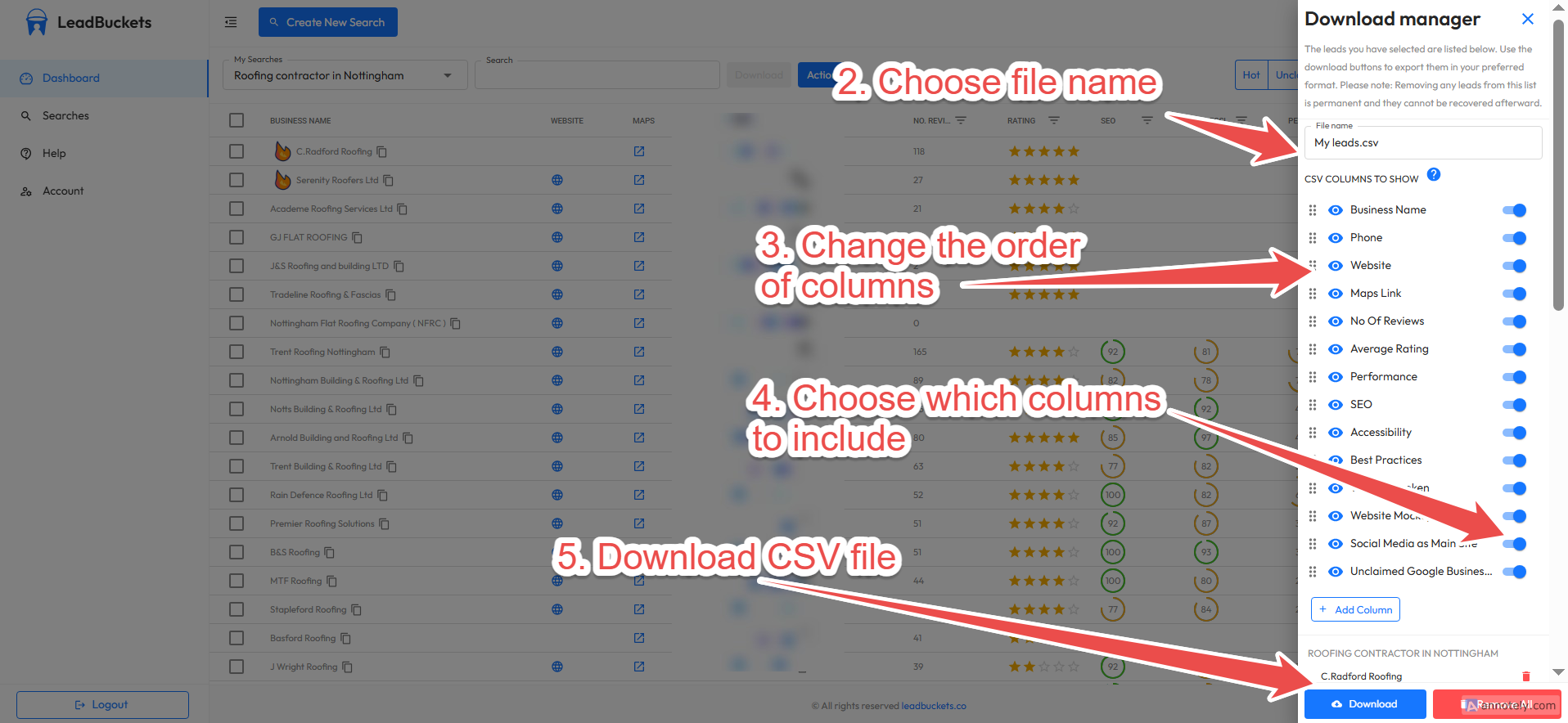
Unlike other platforms, we have the ability to reorder, add and delete columns in the CSV file. This ensures that the data you receive will work seamlessly in your current system. You can see from the image it's simple to download your leads. Simply click the 'cloud' icon. The sidebar will appear. Once it's open you can customize the CSV and download the data to your machine.
Conclusion
In this comprehensive guide, we've shown you how to find web design and development clients using our platform. Let's summarize the key points.
1. Understanding the market: The web design industry is increasingly crowded with AI adopters and overseas competition, plus, anti spam technology and legislation is tightening. To stand out when finding web design clients, you need a value first approach to your outreach, whether that's via call, email, or in person.
2. Starting local: We showed you how to create searches for local businesses. Starting local is crucial (particularly for those just starting out). Local businesses are always more receptive to working with local providers.
3. Finding the right prospects: We demonstrated how to filter your data to find web design leads most likely to convert. This includes businesses with slow websites, broken sites, SSL issues, no websites, and those using social media as their main presence.
4. Exporting your data: Finally, we showed you how to download your prospects in a format that works with your current system.
If you have any questions or problems, please email us at hello@leadbuckets.co. You can also view our public roadmap where you can ask questions, submit bugs, or request features. This was an in depth guide on how to find web design and development clients using our platform. Head here for a general guide on getting started freelancing. It's a fantastic resource by CodeStitch that is especially useful for people looking to start freelancing.
Sign Up Free